
Phone

859-484-7337

Address

695 N Main St., Winchester, KY 40391

Troubleshooting No Power Issues on the Tennant T5e / Nobles SS5 Floor Scrubber

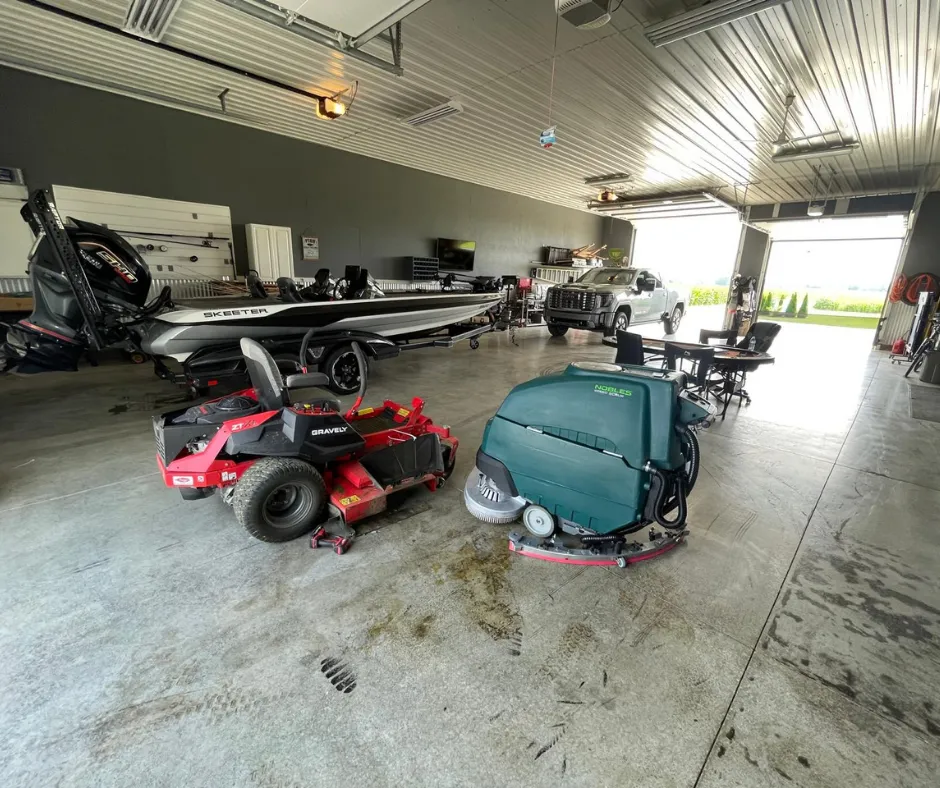
Nobles Speed Scrub SS5 walk-behind floor scrubber parked inside a large commercial garage alongside a zero-turn mower and fishing boat, highlighting its industrial floor cleaning use in equipment storage and workshop environments.

If your Tennant T5e or Nobles SS5 floor scrubber won’t turn on—no control lights, no deck movement, and no response from the battery indicator—you are not alone. Power delivery issues are common on these units, but with a logical, step-by-step diagnostic approach, you can usually identify and fix the issue quickly.

In this guide, we’ll walk through the most common failure points, how to test each electrical component, and how to get your equipment back up and running.


Common No-Power Scenario

Your scrubber is likely experiencing a power delivery failure if:

  • The battery pack is fully charged, but turning the key produces no response.
  • The scrub deck is stuck in the down position and will not raise or lower.
  • Functions fail to cycle even after pressing the main green start button.

These symptoms are usually tied to faulty safety switches, failed control relays, or an engaged charger interlock.

Watch the Diagnostic Walkthrough Video

(Watch our lead technician demonstrate how to diagnose and bypass no-power issues on the Tennant T5e in under 3 minutes)


Step-by-Step Electrical Troubleshooting Guide

Follow these logical steps to isolate the failed electrical component:

1. Test the Tank Safety Switch

A stuck or faulty tank safety switch cuts power to the main control board to prevent operation when the tanks are open.

Safety Note: Bypassing safety switches should only be done temporarily for diagnostic purposes.

Bypass Test: Temporarily use a standard automotive fuse or jumper wire across the switch leads to close the circuit.

Expected Result: If the control board lights up and functions engage, replace the tank safety switch.

2. Check Battery Pack Voltage

Verify that your battery pack is delivering adequate voltage to drive the electrical relays.

Quick Check: If you don’t have a multimeter, plug in the onboard charger—the digital display will reveal current pack voltage before charging begins.

Testing Method: Use a multimeter set to DC volts. Place probe leads on the main positive and negative battery terminals.

Threshold: You must read at least 21 Volts for the system to power up properly.

3. Inspect the Key Switch Functionality

Key switches can wear out internally over time due to dust and moisture exposure.

  1. Disconnect the two wire leads from the back of the key switch.
  2. Set your multimeter to resistance/continuity mode (Ω).
  3. Turn the key to the ON position: Resistance should drop to near 0 Ohms.
  4. If resistance remains infinite, the switch internal contacts are corroded or broken and require replacement.

4. Relay Checks: Circuit Relay 3 (CR3)

Relay CR3 controls the primary power-up signal across the main control circuit.

  • Expected Result: Reconnect the battery. If the machine turns on after the swap, Relay CR3 is faulty and needs replacement.
  • Location: Located near the front electrical panel of the machine.
  • Swap Test: Disconnect one main battery cable for safety, then swap Relay CR3 with the adjacent vacuum relay (they share identical specs).

5. Charger Interlock Bypass & Testing

The onboard charger features a built-in interlock that disables machine power while plugged into an outlet.

  1. Locate the two yellow interlock wires running from the charger to the control board.
  2. Disconnect the leads and test for continuity using an ohmmeter.
  3. The circuit should be CLOSED (0 Ohms) when unplugged from the wall, and OPEN when plugged in.
  4. If the interlock fails to close when unplugged, power will not reach Relay CR3.

6. Review the Schematic Diagram

If individual component testing comes up clear, consult the Tennant T5e service manual electrical schematic:

  • Trace voltage flow from the battery terminal, through main fuses, through key and safety switches, and into the main controller.
  • Check all wiring harnesses and ground connections for pinched wires, corrosion, or loose terminal pins.

Quick Diagnostic Checklist

Before ordering replacement parts, verify these key conditions:

  1. Battery voltage reads greater than 21V DC.
  2. Battery terminal connectors are tight, clean, and free of corrosion.
  3. Key switch continuity reads ~0 Ohms in the ON position.
  4. Tank safety switch circuit is closed and functioning properly.
  5. Relay CR3 swapped and verified.
  6. Charger interlock circuit closes properly when unplugged from wall power.

Need Replacement Parts or Technical Support?

If you’ve completed these troubleshooting steps and your machine still fails to power on, Robey’s PowerKleen is here to help. We stock genuine replacement relays, switches, key assemblies, and control boards for Tennant and Nobles floor scrubbers.

Get expert help today:

  • Order Replacement Parts & Relays Online
  • Visit Our Showroom & Service Center: 695 N Main St., Winchester, KY 40391

In This Article

Let Us Get In Touch With You

Give us your name and number and our team will contact you as soon as possible.

Limited Time Offer

Save $1,000 Off Your Floor Scrubber

Enter your email below to instantly unlock a $1,000 discount code toward your next equipment purchase.

🔒 We respect your privacy. No spam, ever.